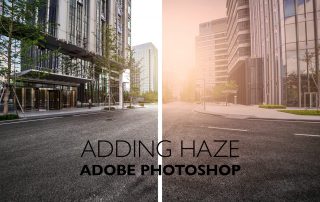
How to Add Haze with a Neural Filter | Adobe Photoshop Tutorial
Depth-Aware Haze Neural Filter | Adobe Photoshop Tutorial With the release of Adobe Photoshop 22.0 in October 2020 Adobe released the Depth-Aware Haze beta neural filter. This new filter is not necessarily as revolutionary as many others in the current lineup but does offer a nice shortcut for designers. Originally designers would have to mask out the foreground, add a layer of haze behind the foreground and adjust accordingly. Now, that is all a memory of the past with this filter in Photoshop. How to Use Depth-Aware Haze Realistic haze with neural [...]

How to Use Makeup Transfer in Adobe Photoshop
Makeup Transfer Neural Filter | Adobe Photoshop Tutorial With the release of Adobe Photoshop 22.0 in October 2020 Adobe released what they’re calling the Makeup Transfer beta neural filter. This filter takes a source portrait and attempts to apply the makeup found within on another portrait. This can be useful in portraiture when a model doesn't show up with the right makeup or when you shoot with minimal makeup but want to add more in post. How to Use Makeup Transfer Makeup Transfer can be completed via the following five steps. [...]

What is Super Zoom in Adobe Photoshop
Super Zoom | Adobe Photoshop Tutorial With the release of Adobe Photoshop 22.0 in October 2020 Adobe released the Super Zoom beta neural filter. Super Zoom allows for the user to punch in on a person at varying magnitudes and then leverages the Sensei AI to enhance the photo to remove degradation. How to Use Super Zoom Super Zoom can be completed via the following seven steps. 1. Open Image Open a Photoshop document and select an image 2. Open Neural Filters Go [...]

How to Colorize a Black and White Photo in Adobe Photoshop
Colorize a Black and White Photo Using One Filter | Adobe Photoshop Tutorial With the release of Adobe Photoshop 22.0 in October 2020 Adobe released the Colorize beta neural filter. Colorize allows for an editor to quickly convert a black and white photo into full color utilizing local processes. Designers can select approximate colors and the AI will automatically start adding in colors based on the values selected. How to Use Colorize Neural Filters can be accessed via the following steps. 1. Open Document Open a Photoshop document [...]

Skin Smoothing: Removing Acne and Blemishes in Adobe Photoshop
Skin Smoothing: Removing Acne and Blemishes | Adobe Photoshop Tutorial Adobe released the Skin Smoothing neural filter with the release of Adobe Photoshop 22.0 in October 2020 . Skin Smoothing adds in blur and removes some of the sharp shadows and utilizes content aware fill to give an approximate of the actual skin if there were no blemishes. While it does not always completely remove the blemishes it does work similarly to using concealer. It takes approximations of the skin tone and blends it on the harsher areas. Similar to a Snapchat filter this must be [...]